

Zencoder Chat Screen Issues in JetBrains IDEs
Problem Description
Starting with JetBrains IDE version 2025.1, the webview that renders the Zencoder chat runs in a separate process using OSR. On Windows in particular, that change can cause the chat to render incorrectly—most commonly as a completely white panel (the internal “White Screen of Death” or WSOD), but sometimes as a zoomed-in or partially rendered interface with missing components.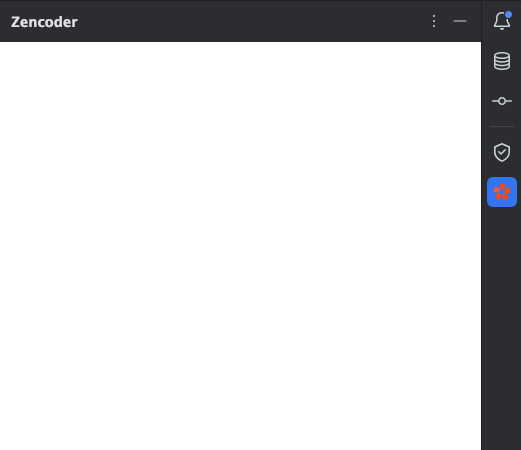
Symptoms
- The Zencoder chat panel opens but displays only or partly a white screen
- The panel renders zoomed-in, cropped, or with missing components even though the chat is technically loaded
- No in-product error messages appear, although IDE logs may show the
java.lang.NullPointerExceptionnoted above - The chat is usually completely non-responsive while in this state
- The issue may persist across IDE restarts, version 2025.1+ updates, or moving the IDE between multiple monitors
Causes
This issue stems from how JCEF (Java Chromium Embedded Framework) is implemented in JetBrains IDEs. JCEF is a Java port of CEF (Chromium Embedded Framework) that JetBrains uses to render web content within their IDEs. Starting with JetBrains 2025.1, JCEF runs out-of-process with off-screen rendering (OSR); in some environments (primarily Windows) that combination leads to the white or distorted screens described above.Solutions
Option 1: Update to JetBrains 2025.2 EAP
JetBrains has recently released EAP 6 for their 2025.2 version of IDEs, which includes fixes for JCEF-related issues.If your organization allows the use of Early Access Program (EAP) versions, this is the recommended solution.
- Download and install the latest EAP version from the JetBrains website
- Restart your IDE
- The Zencoder chat should now display correctly
Option 2: Disable Out-of-Process JCEF (Workaround)
If you cannot use the EAP version, you can apply this workaround by modifying your IDE’s VM options:- In your JetBrains IDE, go to Help > Edit Custom VM Options…
- Add the following line to the end of the file:
- Save the file
- Restart your IDE completely
- The Zencoder chat should now display correctly
Additional Information
Affected IDEs
This issue can affect all JetBrains IDEs including:- IntelliJ IDEA
- PyCharm
- WebStorm
- PhpStorm
- Rider
- Android Studio
- Other JetBrains-based IDEs
Troubleshooting
If the solutions provided don’t resolve your issue:- Make sure you’ve completely restarted your IDE after applying changes and saved the file
- Try resetting your IDE’s configuration (File > Invalidate Caches / Restart)
- Check if the issue persists when moving your IDE window between different monitors
- Collect the relevant logs from your IDE
- Contact our support team with the details