

What is the Coding Agent?
The Coding Agent is Zencoder’s primary development tool that generates, modifies, and refactors code across multiple files and languages. It has built-in validation and error correction, enabling complex development tasks from a single prompt.Accessing the Coding Agent
To access the Coding Agent:- Open the agent selector with
Cmd+.(Mac) orCtrl+.(Windows/Linux) - Select
Codingfrom the dropdown menu - The Coding Agent can perform complex tasks like:
- Creating and modifying multiple files
- Implementing entire features
- Searching the web for documentation
- Running validation and tests
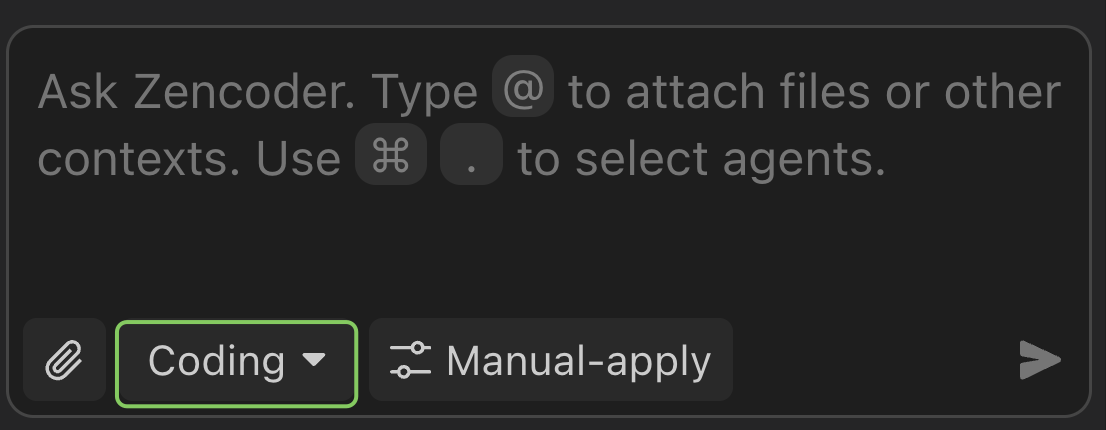
Each chat maintains its selected agent type throughout the conversation. You can start new chats with different agents as needed using the agent selector.
How It Works
When you send a message to the Coding Agent, it follows a multi-step process:1
Understand context
The agent analyzes your project’s structure, patterns, and coding standards from the current workspace and any active Skills.
2
Plan the changes
Based on your prompt, the agent creates a plan — which files to read, edit, or create, and which tools to invoke (shell commands, web search, MCP calls).
3
Execute and iterate
The agent makes edits across multiple files, runs commands, and validates its output. If errors occur (lint failures, type errors, test failures), it self-corrects automatically.
4
Present results
You see a diff of all changes with inline explanations. Accept, reject, or refine with follow-up prompts in the same chat.
There is no limit on the number of tool calls the agent can make in a single turn. Complex tasks may use dozens of tool calls across planning, editing, and validation.
Agent Tools
The Coding Agent has access to a full set of tools that it invokes autonomously:Technical Capabilities
Multi-file Operations
Generates and modifies code across multiple files simultaneously while maintaining consistency and proper references
Language Agnostic
Supports multiple programming languages and frameworks with language-specific optimizations and best practices
Codebase Understanding
Analyzes existing code structure, patterns, and conventions to generate contextually appropriate solutions
Automated Validation and Fixes
Validates generated code against syntax rules, project conventions, and integration requirements
Tips for Better Results
Be specific about scope
Be specific about scope
Instead of “refactor the API,” try “refactor the user authentication endpoints in
src/api/auth.ts to use the new session middleware.” The agent works better with clear boundaries.Use Skills for recurring standards
Use Skills for recurring standards
If you always want a certain code style, test pattern, or error handling approach, define it as a Skill so every agent response follows it automatically.
Let the agent run tests
Let the agent run tests
Include “run the tests after making changes” in your prompt. The agent will execute your test suite and self-correct if anything fails.
Keep chats focused
Keep chats focused
Start a new chat for each distinct task. Long, multi-topic chats can cause the agent to lose context on earlier instructions.
Attach context with @-mentions
Attach context with @-mentions
Use
@file, @folder, or paste URLs to give the agent targeted context.Related
AI Agents
Create custom agents with specific instructions and tools for recurring tasks
Skills
Reusable instruction packages that agents load automatically based on task context
Integrations & MCP
Connect external tools via Model Context Protocol
Supported Models
Choose from 10+ models or bring your own API key