

settings.json. The same file works globally (~/.zencoder/settings.json) or per project (.zencoder/settings.json), letting you expose local, VPC, or third-party endpoints right inside the Zencoder model selector.
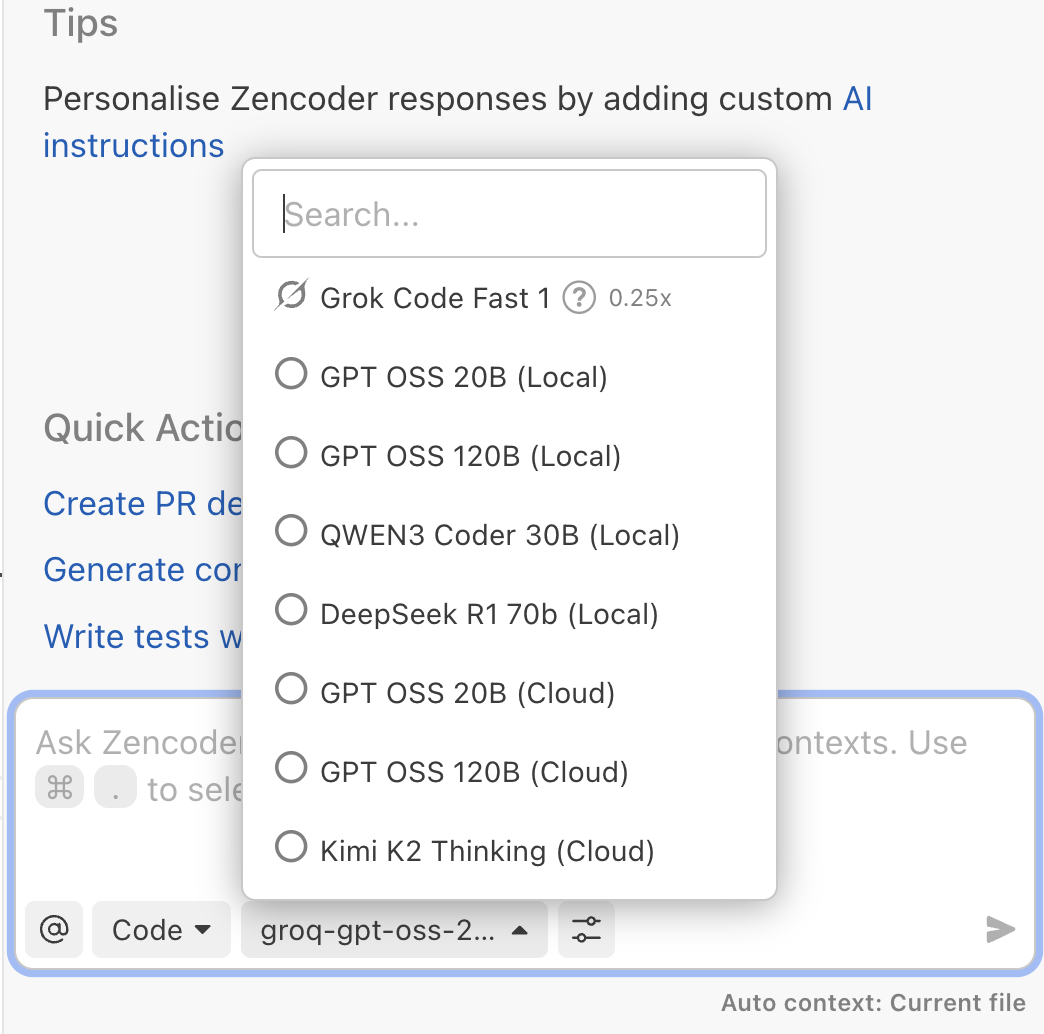
Model Definition
Everything—examples, provider lists, reference properties, and troubleshooting—lives inside the JSON structure shown below.Example settings.json
Example settings.json
Adding More Providers
Replicate the outer"providers": { ... } structure with new keys for each vendor or environment. Mix local runtimes, VPC gateways, and SaaS APIs—Zencoder lists every declared model in the selector.
Reference
Provider properties
Provider properties
mode– leave set todirectfor BYOM endpoints.type–openai-compatible,openai,gemini, oranthropicdepending on the API surface. Note: Usegeminifor direct Google Gemini integration.baseUrl– the root URL for the inference API (can be localhost, VPC, or SaaS). Note:baseUrlis not required forgeminitype. For xAI, usehttps://api.x.ai/v1withopenai-compatibletype.apiKey– inline credential or omit it and rely onZENCODER_<PROVIDER>_API_KEY.
Model properties
Model properties
name– the identifier the provider expects in requests.displayName– friendly label in the model selector.capabilities– optional list (for exampleimagesInput) describing special inputs.options– temperature, max tokens, or other knobs the API supports.
Top-level flags
Top-level flags
Set useDefaultProviders to false when you want Zencoder to hide the built-in catalog so the selector only shows the providers you declare. Leave it out (or set to true) to keep Zencoder defaults side by side with your private endpoints.
Where to Configure
Use the same JSON schema at either scope depending on how broadly you want to share the providers.Machine-wide
Machine-wide
- Create or edit
~/.zencoder/settings.json. - Paste your
providersblock (plususeDefaultProvidersif you need to hide Zencoder-managed models). - Run
zen settings reloadso the CLI and UI pick up the changes.
To avoid storing secrets in the file, export ZENCODER_<PROVIDER>_API_KEY in your shell and omit apiKey from the JSON.
Per project
Per project
- Create
.zencoder/settings.jsoninside the repository. - Commit it so teammates and CI inherit the same provider list.
Project files override the machine-wide file, so a single repo can target private endpoints even if your global default stays on Managed Cloud.