Documentation Index
Fetch the complete documentation index at: https://docs.zencoder.ai/llms.txt
Use this file to discover all available pages before exploring further.
Overview
Zenflow workflows are built from steps. Each step can run with a different agent, model, and configuration. This means you can assign a planning-focused model to the planning step, a fast model to implementation, and run multiple models in parallel for code review — all within the same task.
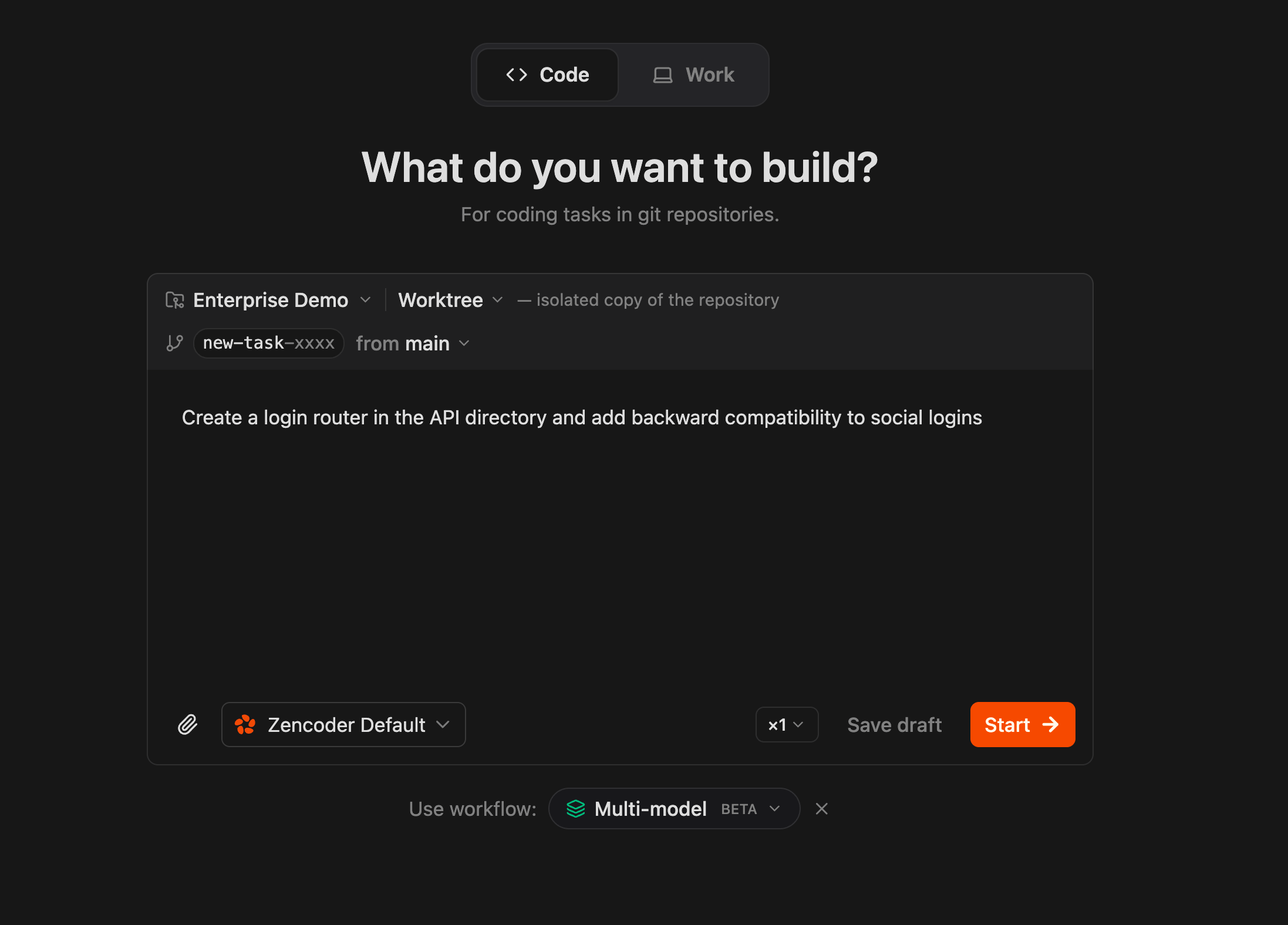
This is configured through agent presets. A preset defines the agent CLI, model, and settings for a given step. You can assign presets per step in a custom workflow or change them at runtime from the chat composer.
Why Different Models for Different Steps
Models have different performance profiles. Some are better at reasoning and architectural planning. Others are faster and cheaper for straightforward implementation. Review benefits from multiple perspectives.
| Step | What matters | Good fit |
|---|
| Planning | Reasoning depth, architecture decisions, spec quality | Claude Opus, GPT-5.4 |
| Implementation | Speed, code generation, tool use | Gemini Flash, Codex, Sonnet |
| Review | Catching issues the implementation model missed | A different model than the one that wrote the code |
The goal is not to use the most expensive model everywhere. It’s to use the right model for each phase.
Setting Up Agent Presets
Agent presets are configured in Settings → Default agents. Each preset defines:
- Agent CLI — which runtime to use (ZenCLI, Claude Code, Codex, Gemini)
- Model — which model the agent uses (e.g., Opus 4.6, Gemini Flash, Sonnet 4.6)
- Configuration — execution mode, approval policy, tool permissions
You can create multiple presets — for example, opus-planner, flash-builder, sonnet-reviewer — and assign them to different workflow steps.
Assigning Presets to Workflow Steps
In a custom workflow file (.zenflow/workflows/), use the <!-- agent: preset-name --> comment to bind a preset to a specific step:
# Multi-Agent Feature Workflow
## Configuration
- **Artifacts Path**: {@artifacts_path} → `.zenflow/tasks/{task_id}`
---
## Workflow Steps
### [ ] Step: Planning
<!-- agent: opus-planner -->
Analyze the task requirements. Produce a technical specification in `{@artifacts_path}/spec.md` covering:
- Architecture decisions and trade-offs
- Affected files and modules
- Edge cases and error handling
- Verification criteria
### [ ] Step: Implementation
<!-- agent: flash-builder -->
Implement the changes described in `{@artifacts_path}/spec.md`. Follow the project's existing patterns and conventions.
- Write code that satisfies the spec
- Include unit tests for new logic
- Update `{@artifacts_path}/plan.md` with completed items
### [ ] Step: Review
<!-- agent: sonnet-reviewer -->
Review all changes from the Implementation step against `{@artifacts_path}/spec.md`.
- Check for correctness, edge cases, and regression risks
- Verify scope discipline — no unnecessary changes
- Confirm tests cover the new behavior
- Record findings in `{@artifacts_path}/review.md`
When the task runs, Zenflow automatically switches to the assigned preset at each step boundary.
Example: Three-Model Workflow
This is the pattern the evaluation report above motivates. Different models contribute where they’re strongest:
Step 1 — Planning with Opus
Opus handles planning and specification. It’s good at reasoning through architecture, identifying edge cases, and producing structured specs that downstream steps can follow.
The planning step outputs spec.md with requirements, affected code paths, contract definitions, and verification criteria. This artifact becomes the source of truth for the implementation and review steps.
Step 2 — Implementation with Gemini Flash
Gemini Flash handles implementation. It’s fast, cost-efficient, and effective at translating a clear spec into working code. Because the planning step already defined what needs to happen, the implementation model doesn’t need to make architectural decisions — it executes.
This is where model cost matters most. Implementation steps are typically the longest-running and most token-intensive part of a workflow. Using a cheaper, faster model here directly reduces cost without sacrificing quality, because the spec constrains the solution space.
Step 3 — Review with a Different Model
The review step uses a different model than the one that wrote the code. This is deliberate. A model reviewing its own output is less likely to catch issues — it tends to agree with its own reasoning. A different model brings a different set of biases and catches different classes of problems.
The reviewer evaluates the implementation against the spec on two axes:
Delivery — did the implementation actually solve the problem?
- Does it address the root cause or just the symptom?
- Does it satisfy the contracts defined in the spec?
- Are all required touchpoints updated (call sites, validators, schemas, types)?
Engineering — is the implementation safe and maintainable?
- Does it introduce regression risks?
- Is the scope focused on the task, or does it include unnecessary changes?
- Is the code idiomatic and maintainable?
This separation matters because an implementation can score well on one axis and poorly on the other. Code can solve the problem correctly but be unsafe to merge. Code can be clean and focused but miss half the required changes. Evaluating both independently gives a more useful signal than a single pass/fail.
Multi-Model Review
For higher-stakes changes, you can run multiple reviewers in parallel. Zenflow supports this through additional review steps or through SubAgents.
Option A: Sequential Review Steps
Add multiple review steps to your workflow, each with a different preset:
### [ ] Step: Review (Opus)
<!-- agent: opus-reviewer -->
Deep review of architectural decisions, contract adherence, and regression risks.
### [ ] Step: Review (Sonnet)
<!-- agent: sonnet-reviewer -->
Implementation-level review: code quality, test coverage, scope discipline.
Option B: SubAgent-Powered Review
ZenCLI supports SubAgents — isolated agent processes that run with different models. The built-in /comprehensive-review skill uses SubAgents to run multiple models against the same diff in parallel and synthesize their findings.
Run /comprehensive-review on the current changes
This produces a consolidated review with findings from multiple models, each evaluating the code from a different perspective.
Evaluation Criteria for Review Steps
When configuring review steps, it helps to have a concrete rubric. The following criteria define what a review step should evaluate. You can include these in your workflow step descriptions or in the reviewer’s prompt.
Delivery
| Criterion | What to check |
|---|
| Semantic resolution | Does the patch fix the actual root cause, or does it paper over the symptom? |
| Contract adherence | Do public signatures, return types, error types, and API shapes match what the codebase expects? |
| Integration completeness | Are all affected call sites, validators, serializers, schemas, and compatibility layers updated? |
Engineering
| Criterion | What to check |
|---|
| Regression safety | Does the patch break anything that previously worked? Look for changed signatures, removed validation, altered error behavior. |
| Scope discipline | Is every change in the diff justified by the task? Unnecessary refactoring, extra features, and unrelated cleanup hurt here. |
| Maintainability | Is the code idiomatic for the repository? Is the logic clear? Are there dead paths, duplication, or half-finished constructs? |
Each criterion maps to a simple scale:
| Score | Meaning |
|---|
| 0 — Inadequate | Weak on this dimension |
| 1 — Partial | Meaningful progress, but significant gaps remain |
| 2 — Solid | Generally good, only limited issues |
| 3 — Excellent | Very strong result |
A patch is merge-ready when delivery and engineering scores are both solid (≥ 2) across all criteria. A patch needs small follow-up when one criterion is partial but the gap is bounded. A patch needs substantial rework when multiple criteria have gaps or the semantic resolution is only partial.
Runtime Model Switching
You don’t have to define everything upfront in the workflow file. During any step, you can switch the active model from the chat composer dropdown. This is useful when:
- A step is stuck and you want to try a different model
- You want a quick second opinion on a specific question
- The default preset for a step isn’t performing well on a particular task
The model switch applies to the current chat session. It doesn’t change the workflow definition.
Practical Guidelines
Start simple. A two-preset setup (one for planning, one for implementation) already captures most of the value. Add review presets when you have a workflow that warrants it.
Match model strengths to step requirements. Planning needs reasoning depth. Implementation needs speed and tool use. Review needs a different perspective from the implementation model.
Use the spec as the coordination artifact. When different models handle different steps, the spec is what keeps them aligned. A clear spec means the implementation model doesn’t need to re-derive architectural decisions, and the review model has a concrete reference to evaluate against.
Don’t over-optimize. The point is not to find the perfect model for every micro-task. It’s to avoid using a slow, expensive model for work that a faster one handles equally well, and to avoid reviewing code with the same model that wrote it.