

Documentation Index
Fetch the complete documentation index at: https://docs.zencoder.ai/llms.txt
Use this file to discover all available pages before exploring further.
Zencoder Chat Appears Gray in VS Code
Problem Description
In rare instances, the Zencoder chat panel in VS Code may display as a gray, unresponsive area instead of the expected chat interface. This is internally known as the “Gray Screen of Death” (GSOD). This prevents normal interaction with Zencoder within the IDE.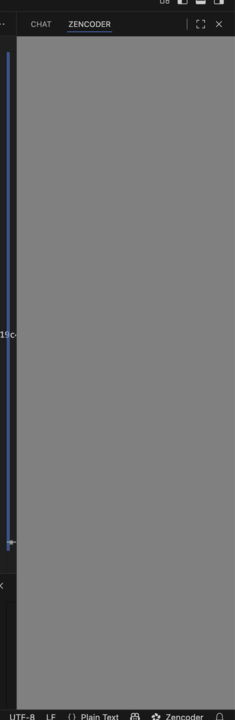
Symptoms
- The Zencoder panel opens but displays only a gray screen
- The chat interface is completely non-responsive
- No content or error messages are visible
- The issue may occur intermittently
Current Status
We’re aware of this issue and are actively working on a permanent fix. Our engineering team is investigating the root cause to ensure a stable resolution in an upcoming update.Workaround
While we work on the permanent fix, here’s how to restore functionality:-
Close VS Code completely
- Save any open work
- Quit VS Code entirely (not just closing the window)
-
Terminate the VS Code process
- On Windows: Use
Task Managerto end any remaining VS Code processes - On macOS: Use
Activity Monitorto quit any VS Code processes - On Linux: Use
pkill codeor your system’s process manager
- On Windows: Use
-
Restart VS Code
- Launch VS Code normally
- The Zencoder chat should now display correctly
We understand this workaround is not ideal. We’re prioritizing a permanent solution to prevent this issue from occurring.
Additional Steps
If the issue persists after restarting:- Try disabling and re-enabling the Zencoder extension
- Clear VS Code’s cache:
- Open Command Palette (
Cmd/Ctrl + Shift + P) - Run
Developer: Reload Window
- Open Command Palette (
- Check for VS Code and Zencoder extension updates
Getting Help
If you continue experiencing this issue:- Collect debug information using our debug guide
- Report the frequency and any patterns you notice
- Contact our support team through Discord, Reddit, or email